Immutable evidence
Every architectural claim points to the scanned commit, repository-relative path, line range, and content hash.
Local-first desktop software
Building with AI moves fast. CodeCaddie connects your product goals to evidence in a committed repository snapshot, highlights the gaps, and helps you decide what to ask your coding agent to fix next.
A complete loop
Synthetic teaching example: customers should find relevant documents by searching their content. The walkthrough below uses the project’s small demo fixture; it is not a saved analysis, customer result, or benchmark.
“Customers can find relevant documents by searching their content.” Check that results respond to the query, rank by relevance, and are empty when nothing matches.
The synthetic fixture’s search returns a fixed result, and its test checks only one query’s result count. These are fixture facts; a real report must validate its own evidence at the analyzed commit.
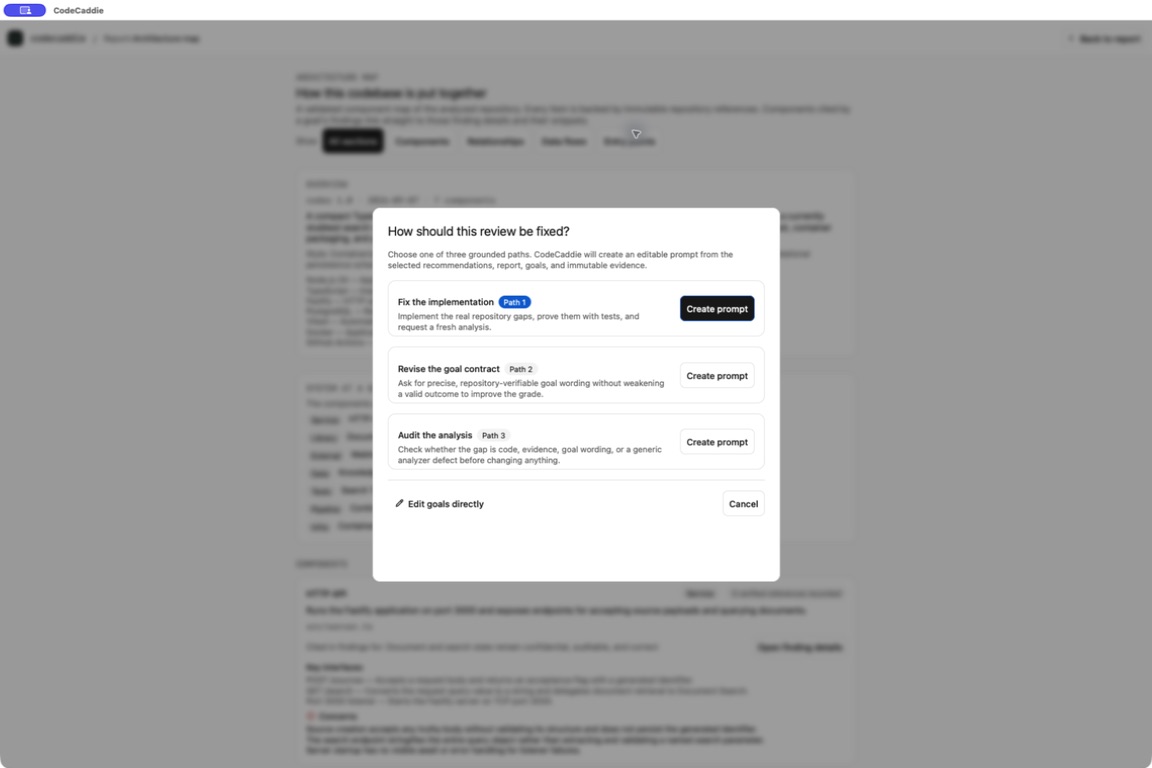
“Implement query-dependent document search and ranking. Add tests for relevant, irrelevant, and unmatched queries. Review the report’s evidence before editing, and report the tests you ran.”
Review the patch, run the tests, and commit it. Analyze again against the same goal and inspect the new evidence. A score change alone does not establish improved customer outcomes.
Walk through the complete example
Grounded goals
Add notes or explicitly selected PDF, PowerPoint, Word, text, or Markdown materials. CodeCaddie extracts bounded text only for the generation run, grounds product facts in page, slide, or paragraph identifiers, and proposes six to nine editable goals.
Visible provider activity
The activity stream names the current phase and, when practical, the repository-relative file and pass counter. It never includes the device’s absolute path, search text, repository source, prompts, or attached-document text.
Invalid or incomplete provider output fails visibly. CodeCaddie preserves the approved goals instead of disguising a provider failure with generic fallback content.
Evidence-backed report
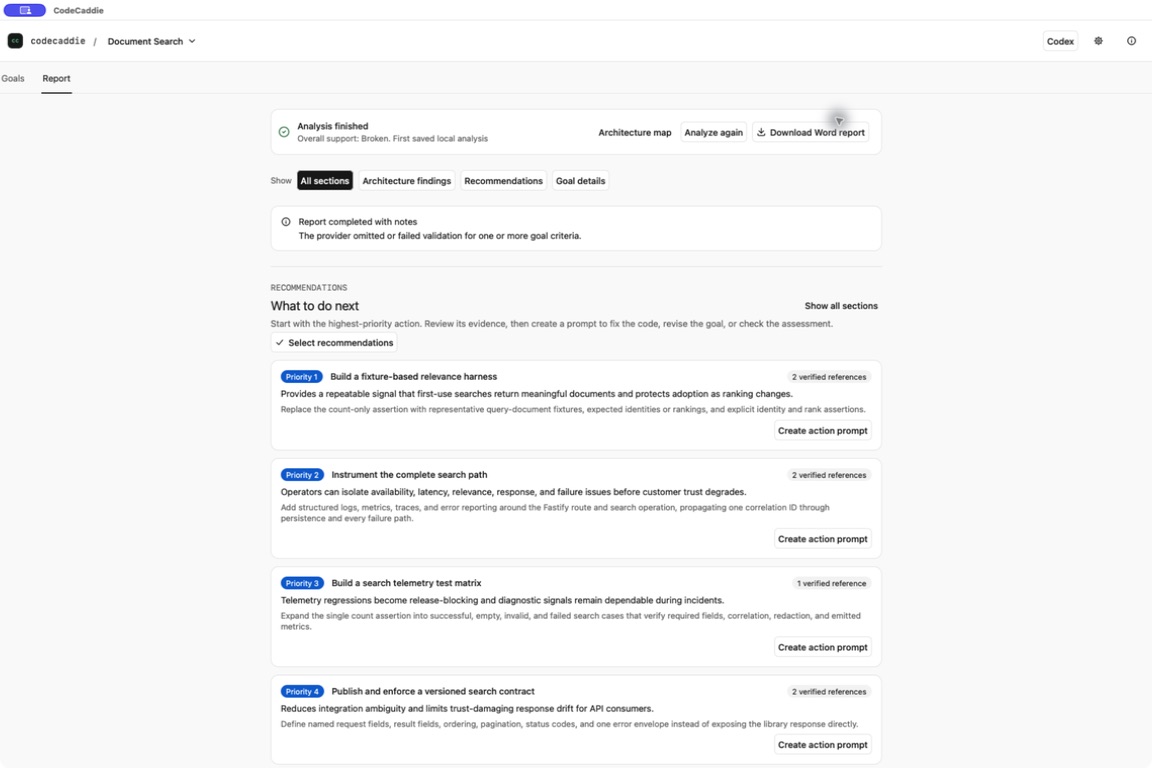
Every saved analysis is pinned to the exact scanned commit. CodeCaddie separates supported checks, demonstrated gaps, missing evidence, and checks it could not verify. Weighted support measures support among assessed checks, weighted by goal priority; unverified checks are excluded and shown separately. It is not test coverage or a percentage of finished features. Reports retain validated evidence coordinates instead of source excerpts.
The trust boundary
CodeCaddie never accepts provider credentials and never puts repository source in its storage, reports, IPC, logs, recovery exports, or provider diagnostics. An already-installed Codex, Claude, or Grok provider may process a disposable single-commit snapshot under that provider’s authorization, settings, privacy terms, and organizational policy.
Every architectural claim points to the scanned commit, repository-relative path, line range, and content hash.
The original checkout is untouched. Tools receive a bounded, history-free snapshot with inert symlinks.
Selected document contents go to the chosen provider only during goal generation. CodeCaddie stores the local reference and hash, never the extracted text.
Native desktop app
Download CodeCaddie for macOS and turn your repository into an evidence-backed report. Stable releases come from GitHub. The app verifies release identity and integrity before asking to install an update.
One universal ZIP containing the signed and notarized app for Apple Silicon and Intel Macs running macOS 13 or newer.
Download for macOSThe Windows installer is not available yet.
CodeCaddie has no account. Live analysis requires an installed, authorized Claude, Codex, or Grok CLI; provider charges and policies may apply. Build the developer edition.